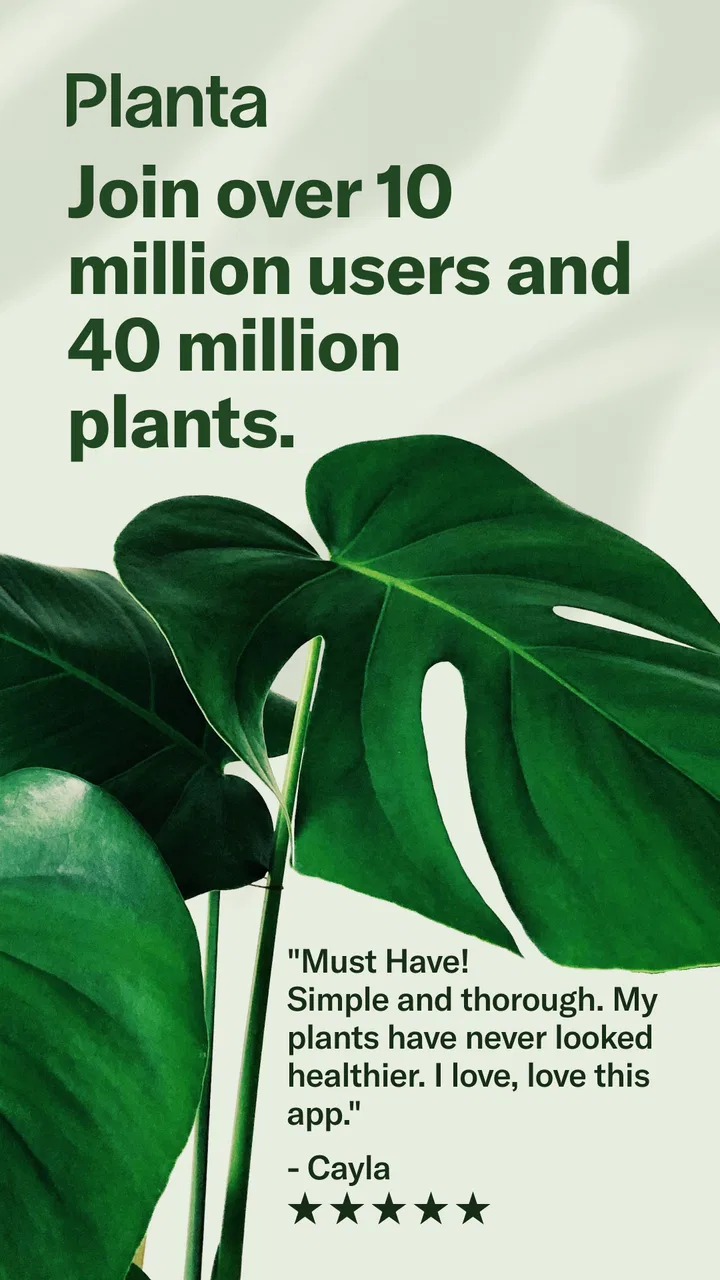
Planta: AI Plant & Garden Care
- 4.1
- Rating
- 1.00M
- Installs
- Free
- Price

 Analysis by App-foxy
I started using Planta: Plant & Garden Care because I wanted a calmer way to keep track of houseplants without relying on memory alone. Watering seems simple until several pots have different needs, light changes from room to room, and a busy week makes every plant look like it can wait another day. Planta, a House & Home app from Planta AB, turns that vague routine into a more deliberate care process.
My overall impression is positive, but not because the app magically knows everything about a plant. Its value comes from organizing care reminders, combining automated guidance with access to real plant experts, and giving users a place to think through what each plant needs. It is free to start, available for an Everyone audience, and has grown to more than a million installs with a 4.2 average from roughly 20 thousand ratings. Those figures suggest that it has become a familiar option for people who want help with indoor gardening, although popularity should not replace checking whether its approach fits your habits.
The most important thing to understand is that this is not a substitute for looking at the plant. I found it most useful as a prompt and decision aid. When the reminder appeared, I still checked the soil, the pot, the drainage, and the plant’s position before reaching for the watering can. That small distinction makes the experience more trustworthy: the app supports observation rather than pretending a calendar can remove all judgment.
You May Also Like

 Blood Strike: 2.5 Anniversary
Blood Strike’s Loadouts Turn Every Drop Into a Tactical Gamble
A close look at Blood Strike’s custom loadouts: how fast access to signature weapons reshapes its battle royale rhythm, rewards preparation, and narrows the gap between fights.

 Pandora - Music & Podcasts
Pandora’s Music Is Easy to Start, but Harder to Recover
Pandora’s strength is its low-effort path from a seed to a station. Its weak spot is how much confidence it asks you to place in connection, setup, and quiet recovery.

 8 Ball Pool
 Is Built on Rivalries, Rematches, and Routine
A close look at the rivalries, rematches, shared routines, and unanswered safety questions that turn a quick pool match into a persistent mobile community.

 Samsung Music
’s Quiet Strength Is Playing What You Already Own
Its reach comes less from spectacle than from dependable access to a personal library. That simplicity is both the app’s strongest retention engine and its ceiling.

 AccuWeather: Weather Radar
AccuWeather Review: A Quick, Clear Forecast for Everyday Decisions
For everyday plans, the best forecast is the one you can understand quickly. AccuWeather makes rain timing, radar, and local conditions easy to act on, with a few trade-offs.

 Hill Climb Racing
Why Hill Climb Racing Still Turns Crashes Into One More Run
A tiny car, a bumpy hill and one more upgrade: Hill Climb Racing keeps resurfacing because its simple chaos makes every near-miss feel personal.
More From Our News Desk



How Planta builds trust around everyday plant care
I find trust in plant care comes less from a confident reminder than from being able to check why I’m acting and what changed afterward. In the section that follows, I look at how a repeatable routine, a few deliberate settings, and careful use of advice can make Planta more dependable without treating its suggestions as guarantees.
A schedule is useful only when I treat it as a starting point
The app’s central idea is a smart care schedule. In practical use, that means I can move away from a single repeating reminder for every pot and instead think about plants individually. A cactus, a leafy tropical plant, and a recently repotted specimen should not be handled as if they share the same timetable. A tailored schedule is therefore more helpful than a generic “water plants” alarm, especially for someone whose collection is beginning to grow.
Still, a schedule can become misleading if I follow it mechanically. Indoor conditions change with heating, sunlight, airflow, pot size, and the season. A plant near a bright window may dry much faster than the same species in a darker corner. My practical rule is to use the notification as a question: “Is this plant ready?” rather than as an instruction that must be obeyed. I check moisture first and record what I actually did.
That workflow is one of the app’s strongest real-world uses. Instead of opening it only when something looks unhealthy, I can use it to create a regular inspection habit. The reminder gets me close to the plant, where I can notice drooping leaves, pale growth, pests, or soil that is staying wet for too long. In other words, its best contribution is often not the watering event itself but the repeated observation around it.
Plant identification and care advice need a human reality check
Plant-care apps are tempting because they promise simple answers to messy problems. Planta’s appeal is strengthened by its combination of AI-supported schedules and real plant experts. That combination matters because automated guidance can organize common care patterns, while a person can respond to an unusual symptom or a situation that does not fit a standard routine.
I would not treat either source as infallible. A photo of yellow leaves, for example, can point to several causes, including watering habits, root trouble, light stress, or natural aging. The most useful advice is advice that explains what to inspect next, not merely advice that gives a confident label. When using any diagnosis-oriented feature, I would include context such as the plant’s location, recent watering, pot drainage, and whether new growth looks healthy. Better context usually produces a more useful conversation than a quick image alone.
The expert element is particularly valuable for beginners who do not yet know which details matter. It can help turn “my plant looks bad” into a more precise question. However, users who already have a strong horticultural routine may find that basic schedules add less value. For them, the app may work better as a collection manager and reminder layer than as an authority on every decision.
Community support can help, but I would filter advice carefully
Planta also includes a community angle, which can make plant care feel less solitary. Seeing how other people handle common problems can be reassuring when a plant suddenly loses leaves or refuses to grow. Community discussion is often good for discovering practical observations that a short care card does not cover, such as how a plant reacts after moving rooms or how long a particular soil mix stays damp.
At the same time, community advice is not automatically reliable simply because it comes from another plant owner. I would compare suggestions with the plant’s visible condition and avoid making several changes at once. If I move a plant, increase watering, add fertilizer, and repot it on the same day, I lose the ability to tell what helped or caused further stress. A slower, one-change-at-a-time approach makes the app’s social side much safer to use.
What the developer and the app’s scale tell me
Planta is developed by Planta AB, and its current version is 2.45.0. It was released on December 2, 2020, so it is not a brand-new experiment. The app’s continued presence and broad adoption make it easier for me to take seriously than an obscure tool that appears and disappears after a short period.
That said, longevity and a large user base do not answer every trust question. I still pay attention to the choices the app presents on my device: what it asks me to enable, whether an account is needed for a particular function, and whether paid features are clearly separated from the free experience. Those are the details that affect day-to-day control more than a download figure does.
Permissions, accounts, and data-sensitive moments
Trust is easiest to judge when I look at an app’s visible requests rather than making assumptions about its internal behavior. Before granting access, I would read each permission prompt in context and ask whether it is necessary for the feature I am trying to use. I would also review the app’s privacy information and account settings directly, because permissions and data controls can change as an app evolves.
The most data-sensitive moments are usually not the reminders themselves. They are the moments when I create an account, upload a plant photo, ask for help from an expert, participate in a community, or enable notifications. A plant image may include more than the leaves I intended to show: my room, windows, furniture, family photos, or other personal details can appear in the background. I would crop or inspect an image before sharing it, especially when seeking advice from people outside my household.
Notifications also deserve a little attention. A care reminder can be useful, but too many alerts can turn a helpful routine into background noise. I prefer enabling only the notifications that support an actual habit and then adjusting them if I start dismissing them automatically. A reminder that I ignore is not improving care; it is simply adding clutter.
For community participation, I would use a profile name that does not reveal more than necessary and avoid posting location details. I would also remember that advice shared publicly may remain visible to others. These are ordinary privacy habits, but they matter more in an app that combines personal routines, photos, and conversations than they do in a simple offline timer.
Free access and the point where cost changes the decision
Planta is free to download and use at an entry level, which makes it easy to test whether the workflow suits me before spending money. The app also offers in-app purchases ranging from $7.99 to $69.99 per item. That is a wide enough range that I would inspect the exact offer, billing period, and renewal terms on the purchase screen instead of assuming every feature is covered by one simple upgrade.
This pricing structure creates a clear trade-off. If I own only a few hardy plants and mainly need occasional reminders, a basic alarm or a notebook may be enough. Paying for advanced guidance would make less sense unless I actually use it. On the other hand, someone with a larger collection, repeated care questions, or a strong interest in structured plant routines may find the extra tools more worthwhile.
I would make the decision after using the free experience through at least one normal care cycle. That reveals whether I like entering plants, checking schedules, and responding to reminders. It also prevents a common mistake: paying for a more complete system before discovering that I do not enjoy maintaining the underlying information.
Small workflows that make the app more useful
One practical technique is to create a short “inspection loop” around each reminder. I check the top layer of soil, look under leaves, examine whether water is draining properly, and note anything unusual before completing the task. This turns Planta from a notification box into a lightweight record of observations. It is especially helpful after moving a plant to a different room, because the old schedule may no longer match the new conditions.
Another useful approach is to separate care actions mentally. Watering, cleaning leaves, rotating a pot, checking for pests, and feeding are not interchangeable. If I rush through a single generic reminder, I may water a plant that needs better light or fail to notice an early pest problem. Using the app’s broader care structure as a checklist encourages me to ask what the plant needs today rather than treating every problem as a watering problem.
I also recommend using expert or community help after collecting evidence for a few days. A single photograph can be ambiguous, but a short note about when symptoms began, how the soil feels, where the plant sits, and what changed recently gives the response more context. This is a less obvious advantage of having a care app nearby: it encourages me to build a useful case instead of asking for a vague rescue.
A final tip is to be conservative after repotting or relocating a plant. Those events can change moisture behavior and stress the plant at the same time. I would update my routine gradually, check the soil manually, and avoid assuming that a previous schedule remains perfect. The app can help me remember to look, but the plant itself remains the better indicator of what is happening.
Who will appreciate Planta, and who may prefer something simpler?
I think Planta is a good fit for new plant owners who feel overwhelmed by conflicting advice. It gives them a repeatable place to start, encourages regular attention, and offers a path from automated guidance to human help. It is also useful for people who travel, work irregular hours, or keep enough plants that memory is no longer dependable.
It can be helpful in a shared household too. If one person usually waters and another handles plant placement, a common routine reduces the chance that both people water the same pot or assume the other person did it. The important part is agreeing on how the household interprets reminders, because the app cannot prevent duplicate care if everyone acts independently.
I would be more cautious about recommending it to an experienced grower who already keeps detailed notes and understands the needs of each plant. That user may prefer a flexible spreadsheet, a calendar, or a specialized horticultural reference that allows more precise control. Likewise, someone who owns one forgiving plant may find the setup more involved than necessary. A simple recurring reminder can be faster and less distracting.
It is also not the right choice for anyone expecting automatic certainty. No schedule can account perfectly for every room, pot, soil mix, weather pattern, or plant history. If I were dealing with a serious disease, root loss, dangerous toxicity concern, or a rare species with demanding conditions, I would treat the app as supplementary and seek advice from a qualified local source or a specialist reference.
My cautious verdict after looking at control and trust
Planta succeeds because it addresses a real problem: plant care is easy to postpone, and a growing collection quickly becomes difficult to manage from memory. Its smart scheduling, expert support, and community setting give it more depth than a basic alarm. I especially like the way it can turn a reminder into a regular inspection, provided I do not confuse a suggested date with a command.
My reservations are equally practical. Automated guidance needs context, community advice needs filtering, and photo-based help deserves care because backgrounds can reveal more than intended. The free starting point is welcome, but the in-app purchase range means I would examine each offer carefully and only pay after confirming that the additional guidance fits my routine. I would also review permissions, notifications, account controls, and privacy choices directly on my device rather than assuming that an attractive plant-care experience answers those questions for me.
For a beginner with several plants, I would recommend trying it as a structured companion, not as a replacement for observation. For a confident grower or someone with very few plants, a simpler alternative may be more efficient. My final view is that the best way to use Planta is as a prompt for better decisions, not as permission to stop looking at the plant. With that expectation, this free House & Home app offers a thoughtful balance of reminders, guidance, and human input, while leaving the final responsibility—and the useful judgment—to me.
FAQs for Planta: AI Plant & Garden Care
01What features does Planta offer for plant care?
Planta provides a comprehensive range of features to help users care for their plants, including watering reminders, light and moisture level recommendations, and a plant identification tool. The app also offers personalized plant care schedules and tips, making it easier for users to maintain healthy plants at home.
02Is Planta suitable for beginners in gardening?
Yes, Planta is designed to accommodate users of all skill levels, including beginners. The app provides detailed guidance and step-by-step instructions for plant care, ensuring even novice gardeners can successfully manage their green spaces. With its user-friendly interface, Planta makes gardening accessible to everyone.
03Does Planta support a wide variety of plants?
Planta boasts an extensive database that includes a diverse range of plants. From common houseplants to exotic species, the app can help users identify and care for a wide variety of flora. This makes it an excellent resource for plant enthusiasts with varied collections.
04Can Planta help diagnose plant health issues?
Yes, Planta includes a feature that allows users to diagnose potential plant health issues. The app uses a combination of user inputs and its database to identify possible problems and provide solutions. This helps users take proactive steps to maintain their plants' health and vitality.
05Is Planta available for both Android and iOS devices?
Planta is available for download on both Android and iOS platforms, ensuring accessibility for a wide range of users. The app can be found on the Google Play Store and the Apple App Store, allowing users to easily install it and start managing their plant care routines efficiently.
Pros
- User-friendly interface for easy navigation.
- Comprehensive plant care guides available.
- Custom reminders for watering schedules.
- Extensive plant database with detailed info.
- Visual plant identification through photos.
Cons
- Limited features in the free version.
- Requires internet for full functionality.
- Occasional inaccuracies in plant identification.
- Subscription required for premium content.
- Notifications can be overly frequent.

Planta: AI Plant & Garden Care
Gallery